Pharmacy benefits
Prescription drugs can play a major role in keeping you healthy. They can help you manage chronic conditions, prevent complications and relieve symptoms so you feel better. With your OEBB benefits, you get quality, comprehensive prescription coverage.
Quick links
*Remember to search in the ArrayRx Core Pharmacy Network.
Save money with mail order prescriptions

Basic information about your pharmacy benefits
There are a few things to know about how your pharmacy coverage works:
- To use your benefits, give the pharmacy your Moda Health member ID card.
- You can get in-network benefits through the ArrayRx Core network.
- If you don’t use your ID card or if you use an out-of-network pharmacy, you can submit a claim to request reimbursement. Note that some pharmacies are not covered by your plan.
- In order for your medication to be covered, it must be on your plan’s formulary (prescription drug list).
- You pay the total cost of the prescription or the copayment, whichever is less. You will never pay more than the total cost of the prescription.
Moda Health as your secondary plan
If Moda Health is your secondary pharmacy plan, it will pay up to what would have been covered if your Moda Health plan had been primary, but not more than the out-of-pocket expense from the primary claim.
If the primary plan denies the claim or paid nothing (for example, when the cost of the medication is less than the copay), then your Moda Health plan will process the claim as if it is the primary plan.
Pharmacy benefit for HSA-compliant plans
If you’re on one of the HDHP plans which are medical Plans 6 or 7 (HSA-compliant plans), you will pay the full allowed amount for most covered medications until your deductible has been met. After that, you will pay a percentage.
For value tier medications, you pay a fixed copayment or the cost of the medication (whichever is less). These costs count toward your out-of-pocket maximum.
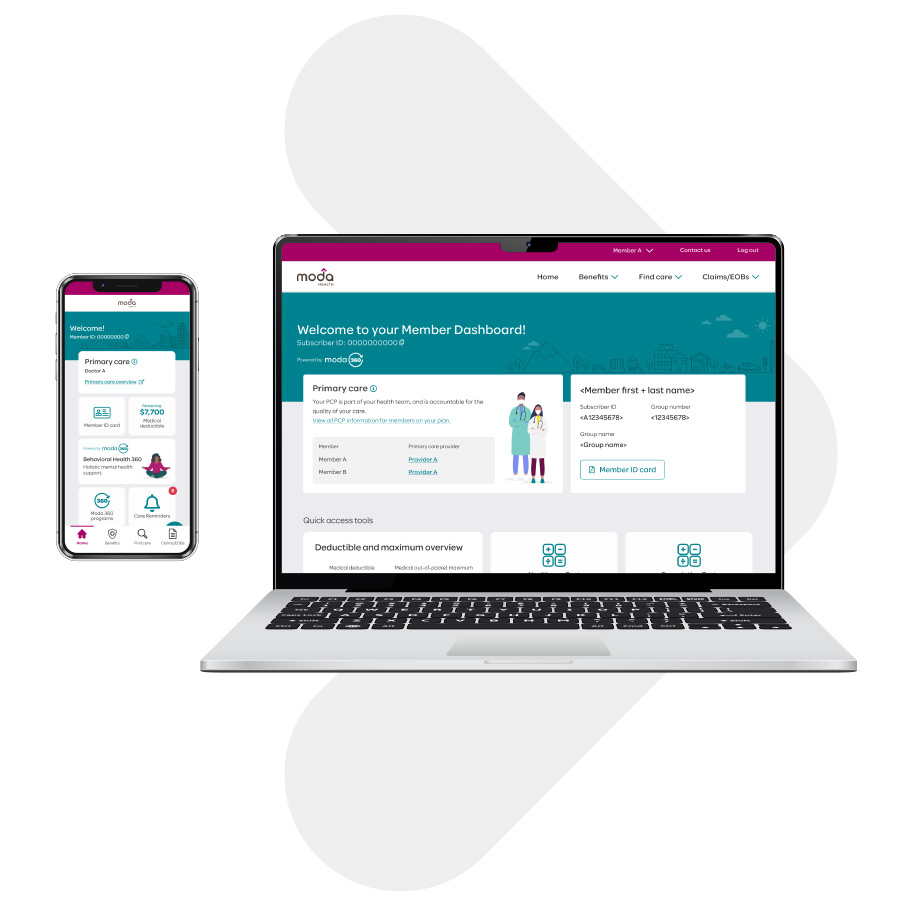
Member Dashboard
Log in to your Member Dashboard to see your prescription history, check medication costs, find a pharmacy, review claims and more.
Want to know if your medication is covered?
Check out our High-Performance Formulary prescription drug list
Your plan covers the generic and brand-name medications that are listed on OEBB’s High Performance Formulary. The Value, Select Generic and Preferred tiers each have their own benefit amount, which you can find in your member handbook.
Formulary updates
When we make updates to how we cover a medication, we consider the drug’s safety, how well it works and its cost.
Our clinical pharmacy team reviews the formulary and recommends changes throughout the year. This way, we can make updates when the FDA approves new medications, when generics become available, or when there are changes for existing drugs (for example, new dosage recommendations, patient safety information, or approved uses).
Brand-name drugs
If you request a brand-name drug or your provider prescribes a brand-name drug when an equivalent generic is available, you will pay the brand copayment or coinsurance, plus the difference in cost between the generic and brand-name medication.
Prior authorization and specialty medications
You can check the formulary to see if your medication requires prior authorization or has limitations.
If your medication requires authorization or if you are taking a specialty medication, ask your provider to submit the prior authorization request. You can also contact the Health Navigator team at 866-923-0411 to find out if your medication needs authorization, and a Health Navigator can contact your provider's office to help them start the authorization process.

Pharmacy network
Your plan gives you in-network benefits nationwide through the ArrayRx Core network. Just use Find Care to find a pharmacy near you (remember to search in the ArrayRx Core Pharmacy Network).
If you use an out-of-network pharmacy, you can submit a claim form and receipts to request reimbursement. The plan will pay based on how the claim would have been paid if it had happened at an in-network pharmacy.
Some pharmacies (for example, CVS retail pharmacies) are not covered by your plan. Contact the Health Navigator team at 866-923-0411 for information.
Mail-order pharmacy services
Postal Prescription Services (PPS) and Costco Mail Order Pharmacy are the mail-order pharmacies for OEBB. You can get up to a 90-day supply of medication delivered to your home or address of choice in the United States with free standard shipping.
- To fill a new prescription, ask your doctor to send the prescription to the mail-order pharmacy.
- To transfer a prescription, contact the mail-order pharmacy and they will work with your prior pharmacy.
- In some cases, you may need a new or updated prescription from your doctor to allow the 90-day supply. The pharmacy will reach out to your doctor's office and tell you if you need to contact your doctor.
- Make sure to use the member ID number and other details on your Moda Member ID card to set up an account with the mail-order pharmacy.
- You can order refills and check your prescriptions by logging in to the pharmacy's website. You must initiate refill orders. The mail-order pharmacy will not send them automatically.
Postal Prescription Services (PPS)
- Phone number: 800-552-6694
- Website: www.ppsrx.com
- PPS mail-order form
Costco Mail Order Pharmacy
- Phone number: 800-607-6861
- Website: www.costco.com/home-delivery
- Costco mail-order form
Ardon Health Specialty Pharmacy services
Ardon Health is the specialty pharmacy for OEBB members. Specialty medications are delivered free to your home or doctor’s office. Visit the Ardon Health website or call 855-425-4085.


Flu shots and other vaccinations
Your OEBB preventive services benefit covers flu shots and other vaccinations. To get your flu shot, visit an in-network pharmacy or contracted provider in your area.
OEBB members have access to flu vaccines through any of the following options:
- Local Costco pharmacy (Costco membership is not required)
- Preferred providers. Use the Moda Health Provider Search to find the provider nearest you.
- Participating ArrayRx Core network pharmacies.
- Flu shot clinics, student health clinics, county health clinics, etc.
Reimbursement to providers will be based on:
- Preferred providers contracted reimbursement fees
- Contracted fees for pharmacies participating in the OPDP network
- Immunizations billed by licensed flu shot clinic providers or student and county health clinics will be reimbursed at the in-network benefit level. The payment allowance will be based on the maximum plan allowable (MPA) for the geographic area.
Benefits will be based on policy provisions and covered immunizations will be limited to those that are considered the "standard of care" by the local medical community. Government agencies or medical associations such as the American Medical Association and Oregon Medical Association will set these standards for the state as a whole.
Flu vaccine billing process
- If a member goes to a Moda Health preferred provider for a flu vaccine, the provider will submit a bill to Moda Health for reimbursement. This means no out-of-pocket expenses for the member.
- OEBB members accessing immunizations and vaccines at a contracted ArrayRx Core network pharmacy can have their claims processed for covered benefits at the point of service by simply supplying their insurance information to the pharmacy. This means no out-of-pocket expenses for the member.
- In some cases, members may need to pay for the immunization and bill Moda Health directly for reimbursement. Please note, members must submit a receipt for the vaccine to the address below to be eligible for reimbursement.
Please submit claims to:
Moda Health Plans
Attn: Director Medical Claims
PO BOX 40384
Portland, OR 97240-0384Questions? You can reach us at:
503-265-2909 or 866-923-0409
Prescription price check
Want to estimate how much a medication will cost before you get it? Log in to your Member Dashboard, click on the "Pharmacy" tab, and select "Pharmacy Tools."